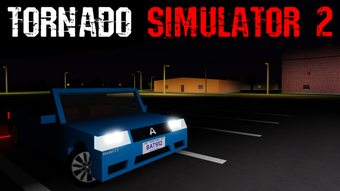

Tornado Simulator 2: Free Roblox Experience
Download Tornado Simulator 2 now
Overview
Tornado Simulator 2 is a free desktop application designed for Roblox users seeking an immersive weather simulation experience. Developed by Alex_ander, the software functions as a utility tool within the Roblox ecosystem, allowing users to generate and interact with simulated tornadoes in virtual environments. The program is intended for entertainment and creative experimentation, particularly appealing to Roblox players interested in environmental dynamics and visual effects. It is not a standalone application but operates as an add-on or in-game tool within the Roblox platform.
Target users include Roblox enthusiasts, game developers testing environmental mechanics, and content creators looking for unique visual elements. The software supports multiple languages, including Spanish, Italian, and Portuguese, enhancing accessibility for international users. While the developer has not provided detailed information on system requirements, the application is compatible with both Windows and Mac operating systems. Its lightweight design, at 1.1 MB, suggests minimal resource consumption, making it suitable for users with limited system capacity.
Real-world usage scenarios include testing environmental interactions in custom Roblox games, creating dramatic visual sequences for videos, or simply exploring simulation mechanics for educational curiosity. As a free tool, it lowers the barrier to entry for users interested in experimenting with dynamic weather effects without financial commitment.
Key Features & Capabilities
- Tornado Simulation Engine – Generates realistic tornado effects within Roblox environments, enabling users to trigger and manipulate tornado behavior in real time.
- Multi-Language Support – Available in Spanish, Italian, and Portuguese, allowing broader accessibility across different regions.
- Lightweight Design – At just 1.1 MB, the application is optimized for fast loading and minimal system impact.
- Free Access – No cost to use, making it accessible to a wide audience of Roblox players and creators.
- Roblox Integration – Designed specifically for use within the Roblox platform, ensuring seamless functionality in supported games and experiences.
Users can leverage these features to enhance gameplay by introducing dynamic weather elements, create visually striking scenes for videos or streams, or test how in-game objects react to high-velocity wind forces. The simulation engine may allow for adjustable parameters such as tornado size, speed, and duration, though specific controls were not detailed in the provided information. The tool’s utility lies in its ability to add realism and excitement to virtual worlds without requiring advanced programming knowledge.
User Interface, Workflow & Performance
The user interface of Tornado Simulator 2 is designed for simplicity and ease of use, aligning with typical Roblox utility tools. Navigation is likely streamlined to allow quick access to simulation controls, with minimal on-screen clutter. Users can expect a straightforward workflow: launch the tool, select simulation parameters (if available), and initiate the tornado event within their Roblox session.
Given the software’s small size and its intended purpose as a lightweight utility, performance is expected to be efficient. The developer did not specify resource usage details, but the 1.1 MB footprint suggests low CPU and RAM consumption. Stability is likely maintained through minimal code complexity, though real-world behavior may vary depending on the host Roblox environment and system configuration.
Performance observations are based on general software behavior patterns. As a free, non-commercial tool, it may not undergo extensive optimization testing. Users should expect consistent operation during standard use, but performance may be affected by concurrent applications or outdated Roblox client versions.
Compatibility & System Requirements
Tornado Simulator 2 is compatible with both Windows and Mac operating systems, making it accessible to a broad range of users. The current version is listed as 0, which may indicate an early or developmental release. The installation size is 1.1 MB, suggesting a compact footprint that does not require significant disk space.
Exact system requirements were not listed. The developer did not provide additional system requirements, so users should ensure their devices meet the baseline needs of the Roblox platform. Compatibility with specific Roblox game versions or client updates is not confirmed. Users are advised to verify functionality within their intended Roblox environment before relying on the tool for critical tasks.
Pros and Cons
Pros
- Free to use with no hidden costs
- Lightweight at only 1.1 MB
- Supports multiple languages: Spanish, Italian, and Portuguese
- Designed for seamless Roblox integration
- Simple interface suitable for non-technical users
Cons
- No detailed system requirements provided
- Version number is listed as 0, indicating possible early development stage
- Performance and stability details not specified
- Only available for Roblox, limiting standalone use
- Limited information on customization options
FAQ Section
Is Tornado Simulator 2 available for free?
Yes, Tornado Simulator 2 is a free program. It does not require payment for access or use.
What operating systems does it support?
The software is compatible with both Windows and Mac operating systems.
Can I use Tornado Simulator 2 offline?
As a Roblox utility, the tool requires an active Roblox session. It cannot function independently without the Roblox platform.
Is Tornado Simulator 2 safe to download and use?
The program is published on Softonic, a known software distribution platform. While no security issues were reported, users should always scan downloaded files with antivirus software before execution.
How often are updates released?
Update frequency is not specified. The current version is 0, which may suggest ongoing development or early release status.
Final Thoughts + CTA
Tornado Simulator 2 offers a unique, free way to enhance Roblox experiences with dynamic tornado simulations. Its lightweight design, multilingual support, and straightforward integration make it a practical choice for casual users and creators alike. While the lack of detailed system information and the version number of 0 raise questions about its maturity, the tool remains functional for its intended purpose.
For Roblox players and content creators looking to add dramatic weather effects to their games or videos, Tornado Simulator 2 delivers a simple yet effective solution. Its accessibility and zero cost make it a compelling option in the utilities category.
Download Tornado Simulator 2 now







